.png?width=300&height=50&name=kb-logo-alt%20(1).png)
How to Use Global Search
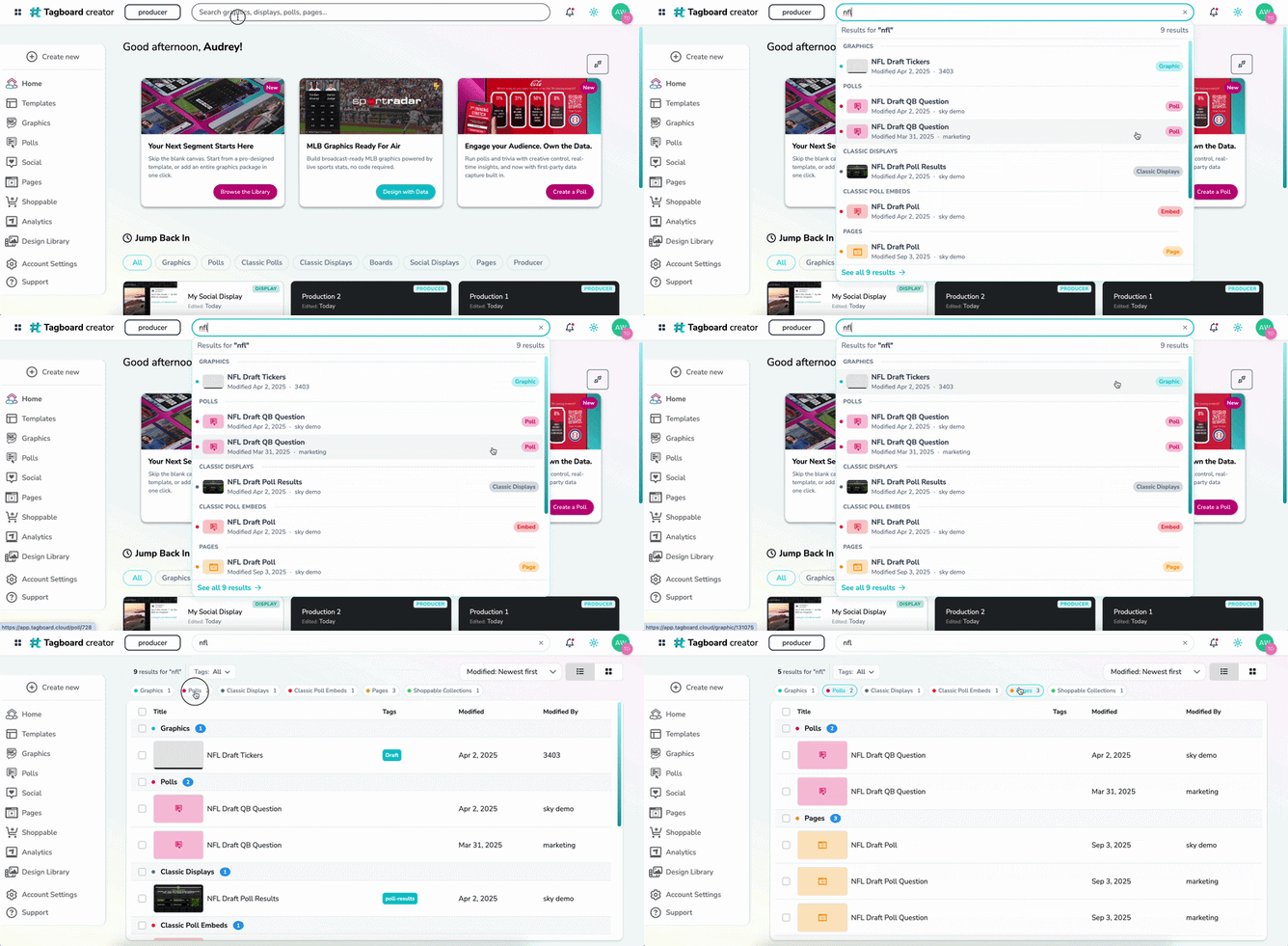
Global Search scans across all content and asset types within your Tagboard account. Follow these steps to find assets quickly:
- Start from Creator: Locate the global search bar at the top of the workspace.
- Enter Search Keywords: Type an asset title, a specific type, or an associated tag (e.g., "stats" or your show name) and press Enter.
- Review Unified Results: You'll then see a categorized list displaying the top three most recently edited items matching your query for each type of asset.
- Quick Actions: Click directly on any asset thumbnail or title within the search results to open it in its respective builder or studio workspace.
Pro Tip: You can bookmark your search results URL in your browser. This allows you to save a specific filtered view as a customized home base for quick access anytime.
Managing Global Tags
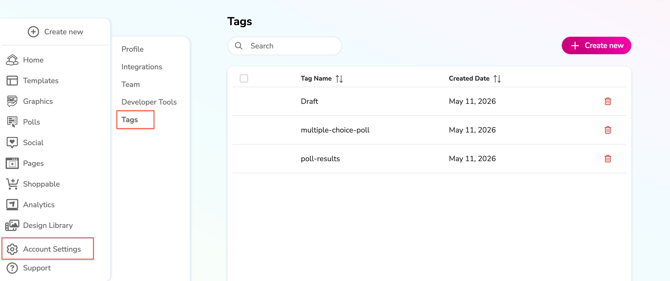
Now, your tag vocabulary applies universally across your entire workspace. You can add, edit and remove tags across all assets from one spot.
Bulk Actions and Global Style Edits
- Universal Application: Applying a tag like spring-game-2026 to a graphic template automatically makes that tag searchable and filterable across related polls, boards, and embeds.
- Global Tag Management: Navigate to Account Settings to access the global tag manager. Here, you can rename or delete a tag in one location, and the system will cascade that change to update all associated assets across your account automatically.
Best Practices for Asset Organization
To maximize the efficiency of Global Search and Unified Tagging, teams should establish a structured approach to naming conventions:
- Maintain a Shared Tag Vocabulary: Document your team's specific tagging taxonomy in a centralized location. Establish consistent rules for tagging by Show, Producer, Date, and/or Asset Purpose.
- Consistent Asset Naming: Always use exact, identifiable phrases in asset titles. For example, if a segment belongs to a show named "Around the League," include that full phrase in the title so all related visual assets pull together in a single search.
- Think Chronologically: When naming or tagging new content, ensure the chosen titles will remain intuitive to another teammate or to "future-you" when operating under tight live-on-air deadlines six months down the road.