.png?width=300&height=50&name=kb-logo-alt%20(1).png)
Once you have created a Share It Feed and start collecting Uploads from your audience, you can view your analytics. Select Analytics from your Creator Dashboard, and select Share It. You can filter your analytics by feed(s) and/or date, to view the number of Share It posts submitted & featured.
Note: "Posts Featured" counts every feature action, not unique posts. If a post is featured, unfeatured, and featured again, each feature counts toward the total. Some workflows do this intentionally, which means it's possible for Posts Featured to exceed Posts Submitted over a given time period.
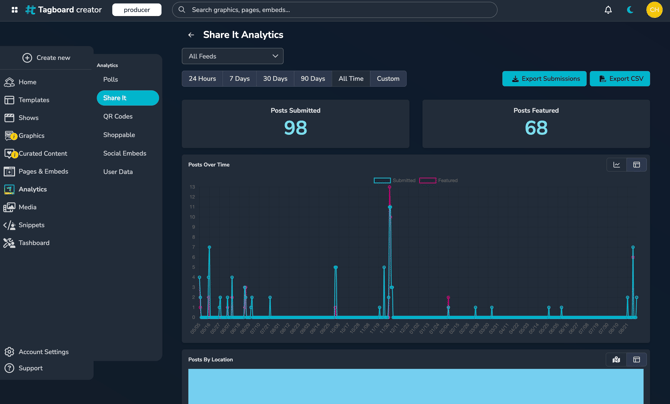
You can also view votes over time and votes by location. Share It analytics will date back to May 2025, however location data is available for posts after August 28, 2026.
Export Share It Downloads
You have a one-click option to download your Share It submissions. This is available in 2 places:
- Click Export Submissions in Share It Analytics. This will respect any filters you've applied, so you can download submissions from a set date range, or download multiple feeds together.
- Export Submissions from a Social Board. This will download all uploads from that specific Feed

Retention Policy: Share It Uploads that you choose to feature will be retained for 1 year from the upload date. Share It uploads that have not been featured will be retained for 60 days.
Exports are only available during the 60 day retention window. Analytics summary data (submission and feature counts) is retained indefinitely.
Bulk downloads cap out at 10GB. Trying to grab a big batch of images? Narrow the date range in Share It Analytics first and download in smaller chunks.
You can also download the CSV from Share It Analytics, which includes a media link for every post. Just know those links aren't permanent. Once a post ages out of the retention window (see above), the link stops working.