.png?width=300&height=50&name=kb-logo-alt%20(1).png)
What is a Tracking Link?
A tracking link is a reusable asset in Tagboard that powers the QR codes you put in Custom Graphics, Social Graphics, and Polls. You can create a tracking link once and reuse it anywhere a QR code appears: such as a lower third, a poll result screen, or a social carousel, with each graphic able to have its own visual style. Every tracking link generates a short, trackable URL as soon as it's created, and all the scan activity for that link rolls up into one place, no matter how many graphics use it.
Managing your Tracking Links
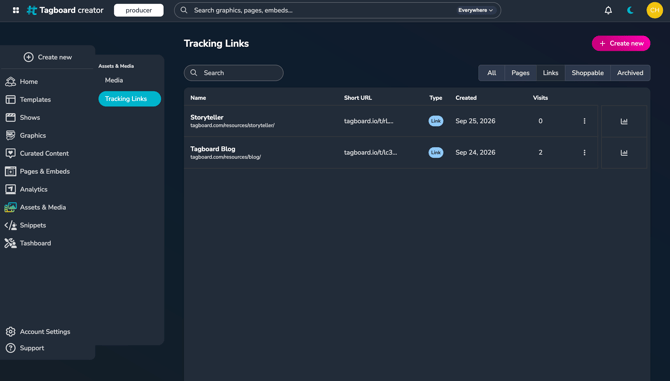
To view your Tracking Links, go to Media & Assets on the left side of your Creator Workspace, and select Tracking Links. Anyone on your account can view, create, edit, or archive them. You can filter the list by type:
- Pages: these links are automatically generated for every Page you create; you can't update the URL
- Links: custom URLs that you manually create; fully editable
- Shoppable: these links are automatically generated when you feature a product, and put it on your playlist in Producer; you can't update the URL
- Archived: links you're no longer using; you can archive a link anytime and the analytics will still be accessible
Creating a Tracking Link
You can create a tracking link in two places:
- From the Tracking Links manager: go to Media & Assets > Tracking Links, and click "Create New"
- While building a Graphic or Poll: when you add a QR element, choose Create New from the Tracking Link dropdown.
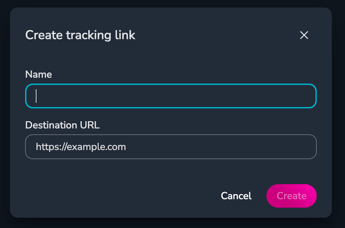
Both open the same form that asks for:
-
A name to help you & your team identify the link (this will never be shown publicly)
-
Destination (the URL the QR code should send your viewers & fans to)
Your short tracking URL is generated as soon as you hit save.
If your destination is to a Tagboard Landing Page, you don't need to create a Tracking Link manually! Every Page automatically gets one. Just choose it from the dropdown list.
Editing a Tracking Link
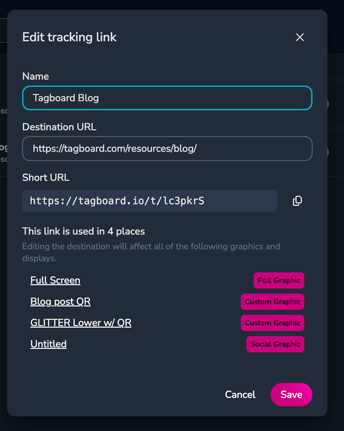
For custom Links, you can update the name and destination at any time. Before you save a change to the destination, you'll see a list of every Graphic, Poll, or Production currently using that link so you know exactly what will be affected before you confirm the change.
Pages and Shoppable links cannot be edited directly since their destinations are tied to the Page or Product.
Archiving a Tracking Link
Only custom Links can be archived. (Page Links will be automatically archived when you delete the Page). If a link is in use, you'll need to reassign the Tracking Links on those graphics before archiving. Archiving a link never deletes its historical scan data.
Using your Tracking Links
When you add a QR code to a Custom Graphic, Poll, or Social Graphic, you'll be able to choose one of your Tracking Links from the Tracking Links dropdown in the builder. If the link you need doesn't exist yet, select Create New at the bottom of the dropdown.
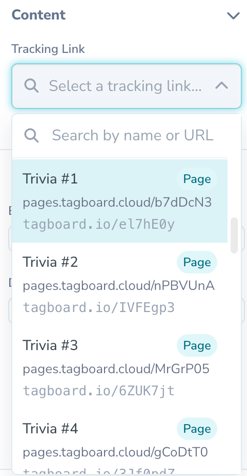
While a show is live, you can swap which tracking link a QR element uses directly from the playlist in Producer. Select your Graphic on the Playlist, and click the QR Code layer in the editor.
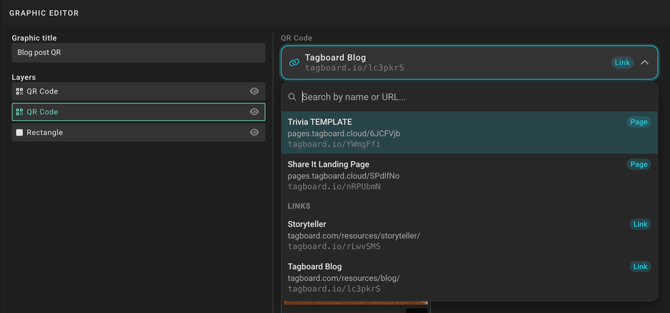
Note: You cannot generate a new Tracking Link from Producer. If you need to make a new Tracking Link while producing, create one in the Tracking Links manager in Creator.
Tracking Link Analytics
Each tracking link is a single analytics record, regardless of how many graphics, polls, or playlists use it. The Tracking Links Analytics view allows you to filter by:
- Destination URL
- Production
- Graphic
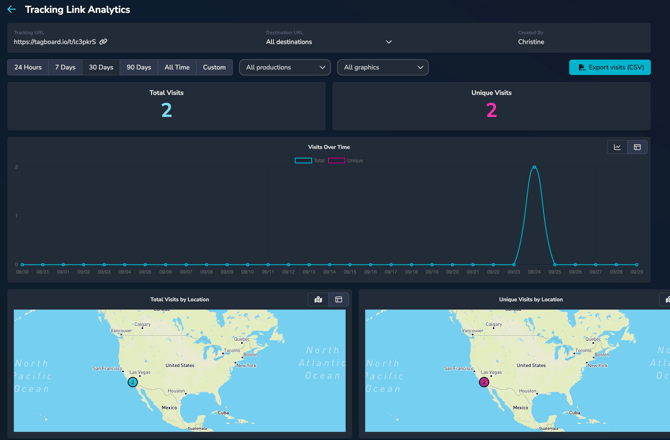
In each analytics entry, you will have access to the follow data:
- Scans over time
- Total visits: the overall number of visits to the Tracking Link
- Unique visits: the number of unique devices that visited the Tracking Link
- Visits by location: Tagboard captures the scanner's IP address to determine their approximate location
- Geolocation Accuracy: IP lookups typically pinpoint locations within 25-50 miles, based on the nearest ISP network hub. Cell phone IP addresses are based on the carrier's network infrastructure and how they route traffic out, so it's not uncommon for an IP address to be in a different area, or even a different state.
- Data Captured: Country, region, city, and postal code
- Limitations: Users can bypass location tracking using VPNs, proxies, or Tor, which can mask their actual location or make their location appear somewhere else.
- Visits by system: details on device, OS, and browser
You can download a CSV of in-depth data by clicking the button in the upper right corner. This will also include date and time of each scan and postal code of the scanner.
Note that Tracking Link analytics will start on October 6, 2026. If you are looking for data from a previous timeframe, please see our legacy QR Code Analytics.