.png?width=300&height=50&name=kb-logo-alt%20(1).png)
Social Embeds
👉 Use the Social tab
- Social Boards are folders for social content. You're able to create feeds for certain Facebook, Instagram or Threads content, and/or you can curate and feature content directly from X, Threads, Instagram, TikTok, YouTube and Twitch.
- Customize the type, layout, style and animation options for how your curated social content will appear. And most importantly, you'll get the embed code needed to add the social embed to your website or app.
Share It: Direct User-Generated Content (UGC)
👉 Use the Social & Pages tabs
In addition to curating and displaying content from social networks, you can also gather content directly from your audience by way of photos and/or text submissions.
-
Gathering UGC requires creating a Tagboard Landing Page. You can use the landing page as its own website or iFrame the page into your website or app.
2. Add Share It to the Page
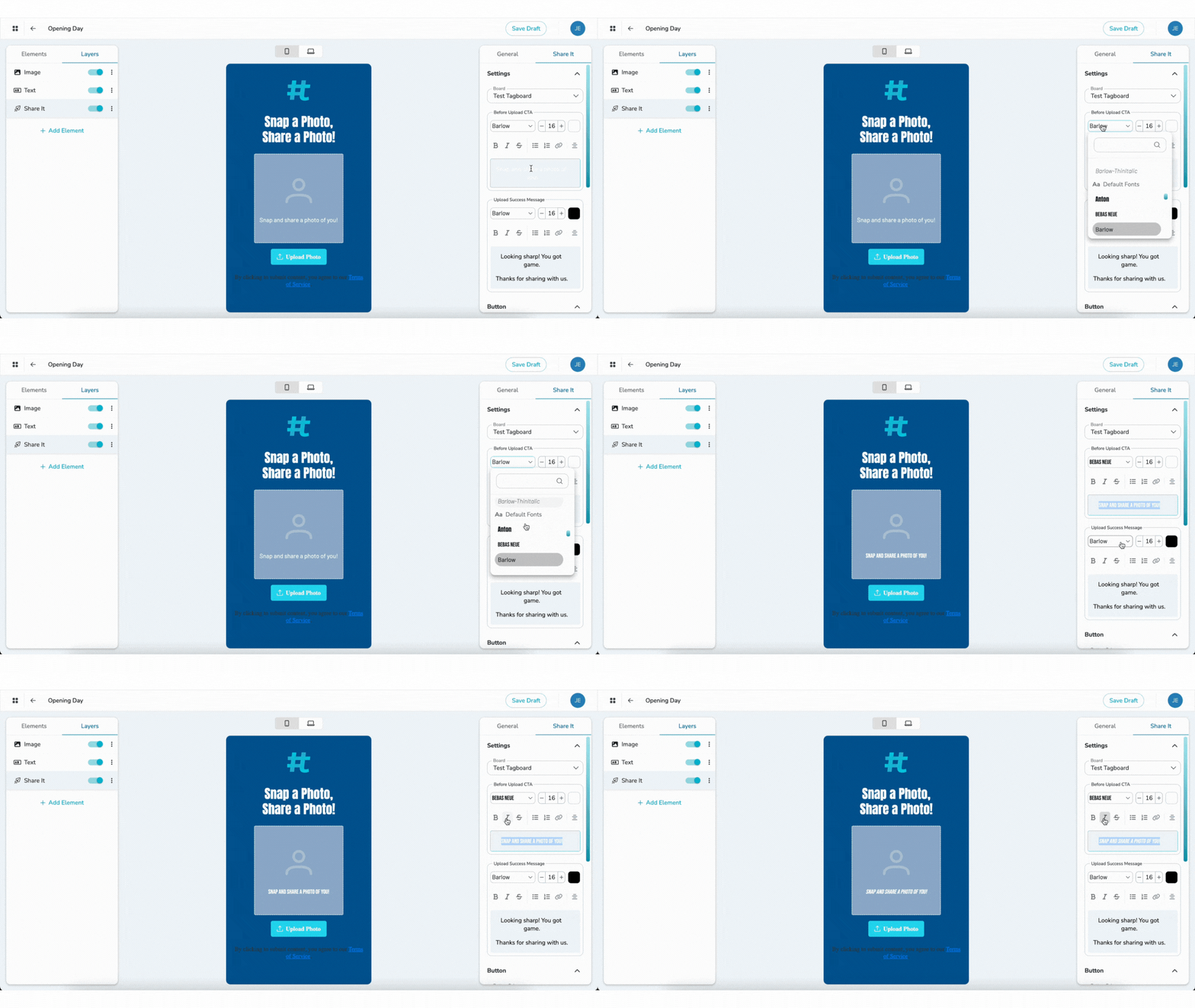
- On the lefthand side in the Page builder, under Elements, choose Share It. Create or select an existing social board for your submissions to feed into. Customize the type of submissions you're looking for (photo, attribution, comment) and stylize the Share It element to your liking.
3. Curate Your Content
- Using the same workflow to feature social content from a feed, you can curate and feature your Share It content from the Share It feed within Social Boards. You can include that same content in an existing Social Board and Social Embed, or you can create a board and embed specifically for your Share It content.
Polling and Trivia
👉 Use the Polls & Pages tabs
Video: How to Setup, Design & Publish Your Poll or Trivia
Video: See How Your Poll Performed with Poll Analytics